Blog

  • How do I change PHP version?

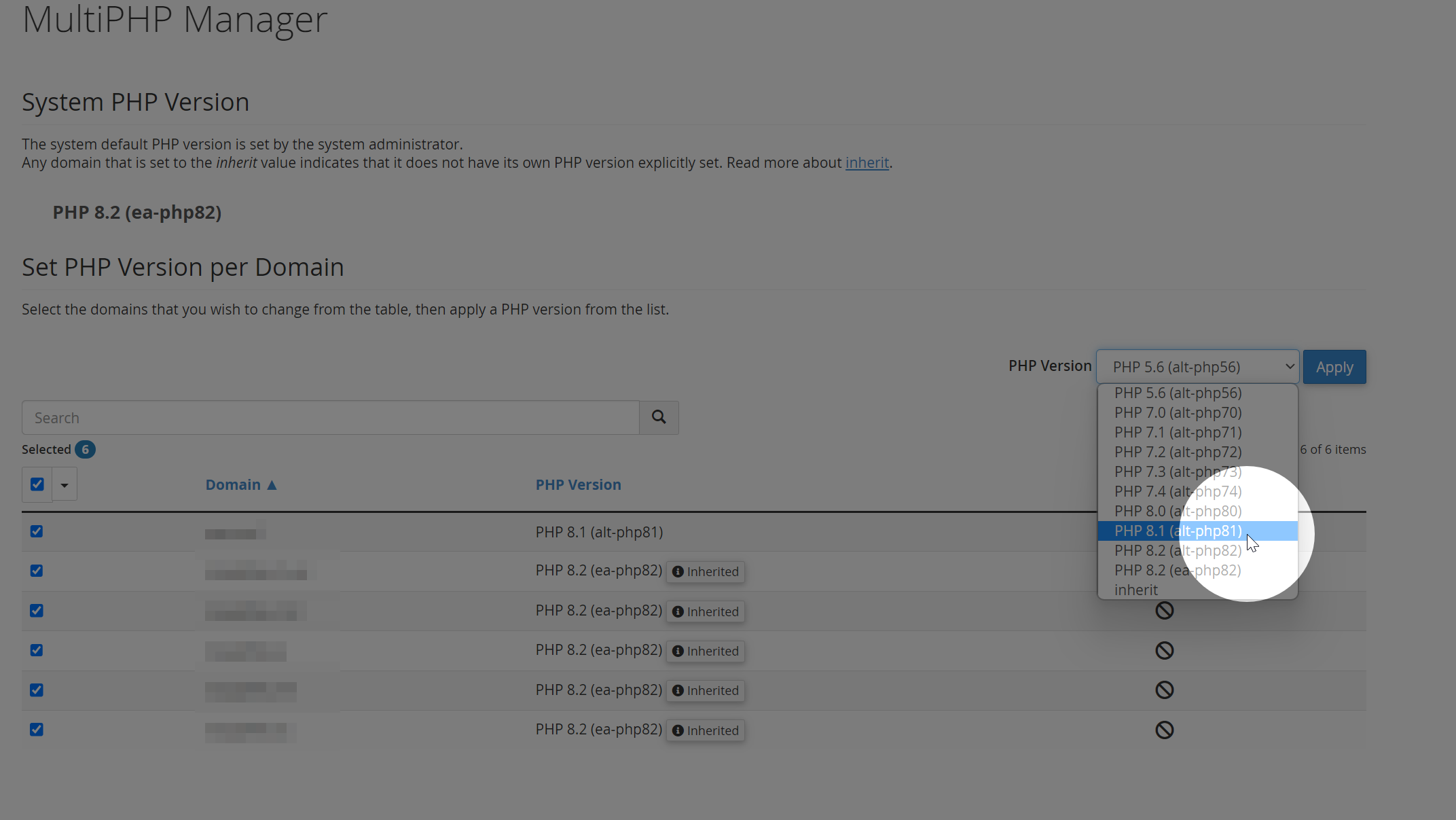
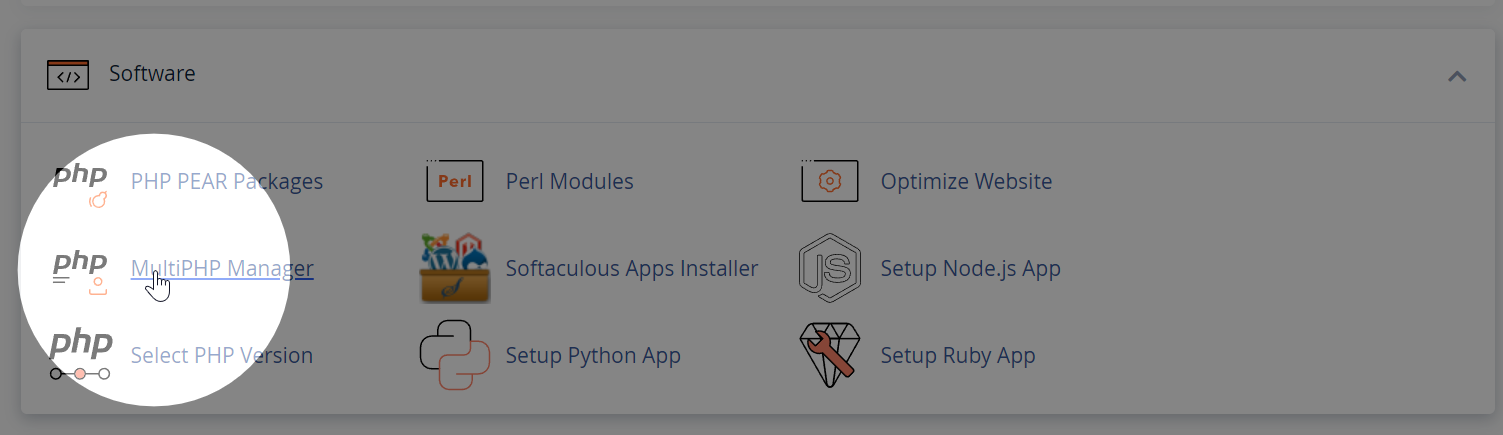
    In cPanel, under the Software section click MultiPHP Manager.

    For each of your domains, select the appropriate PHP version:

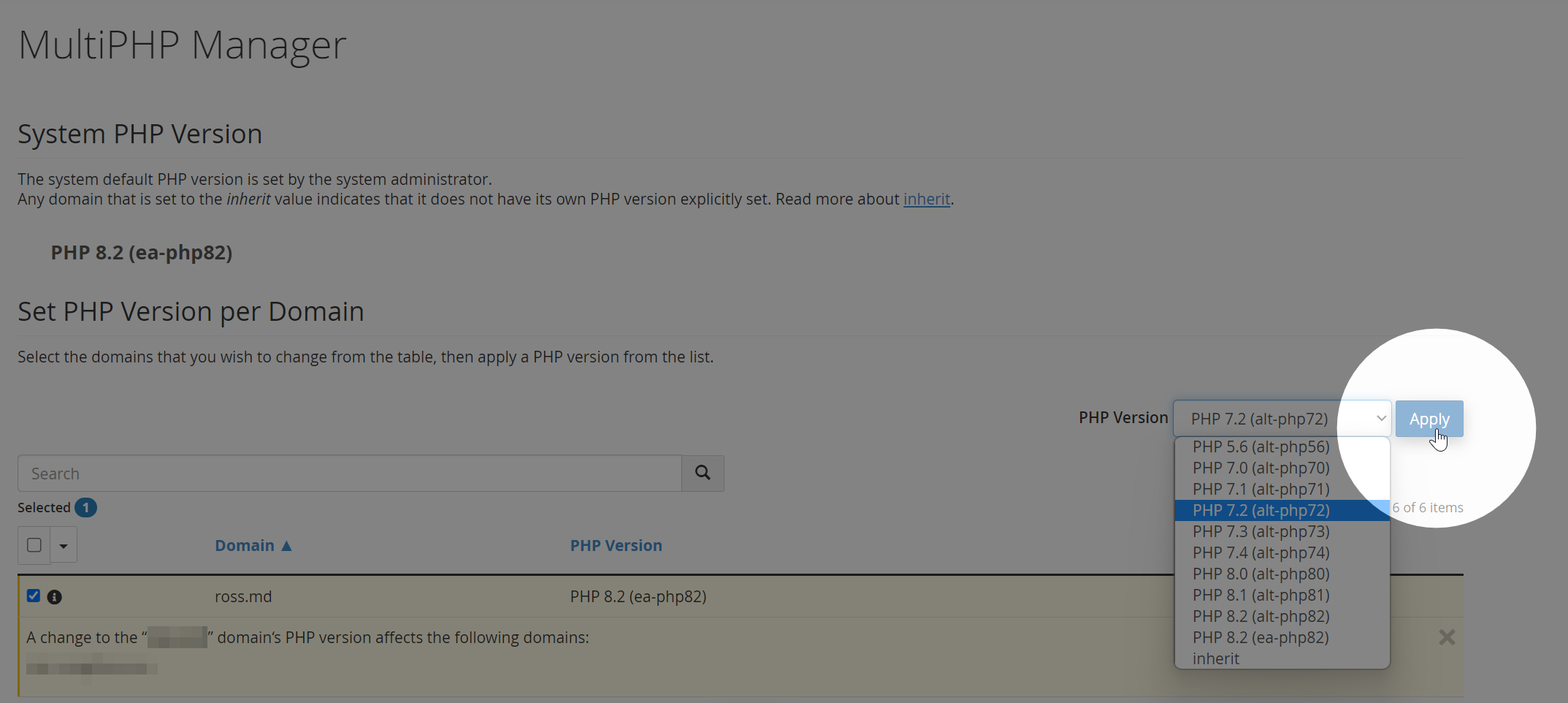
    How do I select a separate PHP version for a domain or sub domain?

    To revert a domain to use its own PHP version, go back to the MultiPHP Manager and select a PHP version from there. 

  • How to redirect my website to www/non-www

    Here’s a quick guide on how to redirect to www and non-www using .htaccess:

    To redirect to www:

    RewriteEngine on
    RewriteCond %{HTTP_HOST} !^www\. [NC]
    RewriteRule ^(.*)$ http://www.%{HTTP_HOST}/$1 [R=301,L]
    

    To redirect to non-www:

    RewriteEngine on
    RewriteCond %{HTTP_HOST} ^www\.(.*)$ [NC]
    RewriteRule ^(.*)$ http://%1/$1 [R=301,L]
    

    Simply add the appropriate code to your website’s .htaccess file to apply the redirection.

    See also: How to edit .htaccess

  • How to edit your .htaccess file

    To edit the .htaccess file in cPanel:

    1. Log in to cPanel and go to File Manager.
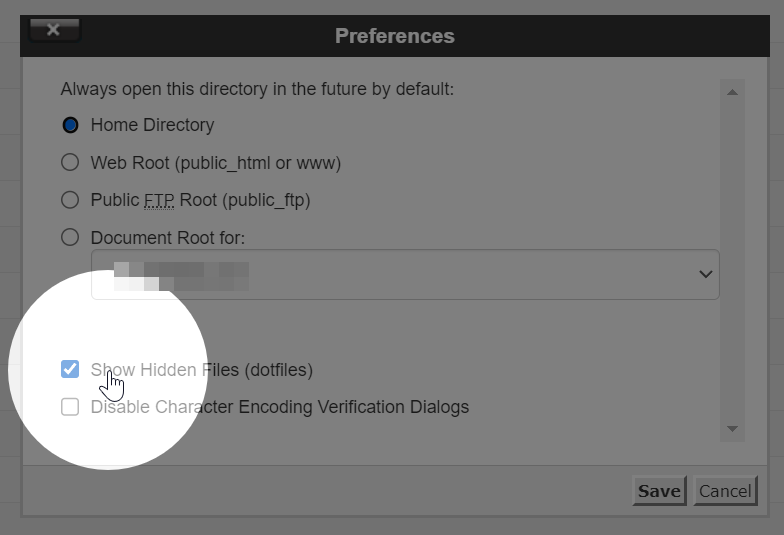
    2. Enable hidden dotfiles by clicking “Settings” in the top-right and checking the box next to “Show Hidden Files (dotfiles).”
    3. Locate the .htaccess file and right-click it to edit it using the code editor.
    4. Save changes when done.

    The main .htaccess file is usually located in the public_html folder. However, it’s possible to create one for every folder.

    Remember to proceed with caution when editing the .htaccess file as incorrect changes can cause issues with your website.

  • Why is GZIP not enabled on my website?

    Some website performance monitoring tools may warn you that GZIP is disabled. If you find that GZIP compression is not enabled on your website, it might be because Brotli compression is being used instead. Brotli is a more advanced compression algorithm that offers better compression ratios and faster loading times.

    Brotli vs. GZIP in LiteSpeed Web Server (LSWS)

    LiteSpeed Web Server (LSWS) 5.3 supports both Brotli and GZIP compression. It caches both types of compressed content and can convert between them as needed. However, to save disk space and improve efficiency, LSWS prioritises Brotli over GZIP.

    How LSWS Handles Brotli and GZIP

    When a browser requests content, LSWS checks its cache. If the requested compression type is not available, LSWS decompresses the cached version and re-compresses it to the desired format. If this conversion occurs frequently (more than 10 times), LSWS will cache the converted version for faster access in the future.

    For example, if your website has Brotli compression enabled, LSWS will serve Brotli compressed content to browsers that support it (like Chrome). If a browser that only supports GZIP (like Firefox) requests content, LSWS will decompress the Brotli version, re-compress it as GZIP, and serve it to the browser.

    If GZIP is not enabled on your website, it is likely that Brotli compression is being used instead. Brotli offers better performance and is prioritised by LiteSpeed Web Server. Rest assured that your website’s performance is still optimised for users with different browser preferences.

    See more: Litespeed Docs
  • Where to find the server hostname/IP address?

    You may need to know the server hostname or IP address when connecting via SFTP, configuring your email client, or connecting to the server via SSH.

    Step 1: Log into cPanel

    Learn how to log into cPanel.

    Step 2: Locate Shared or Dedicated IP Address

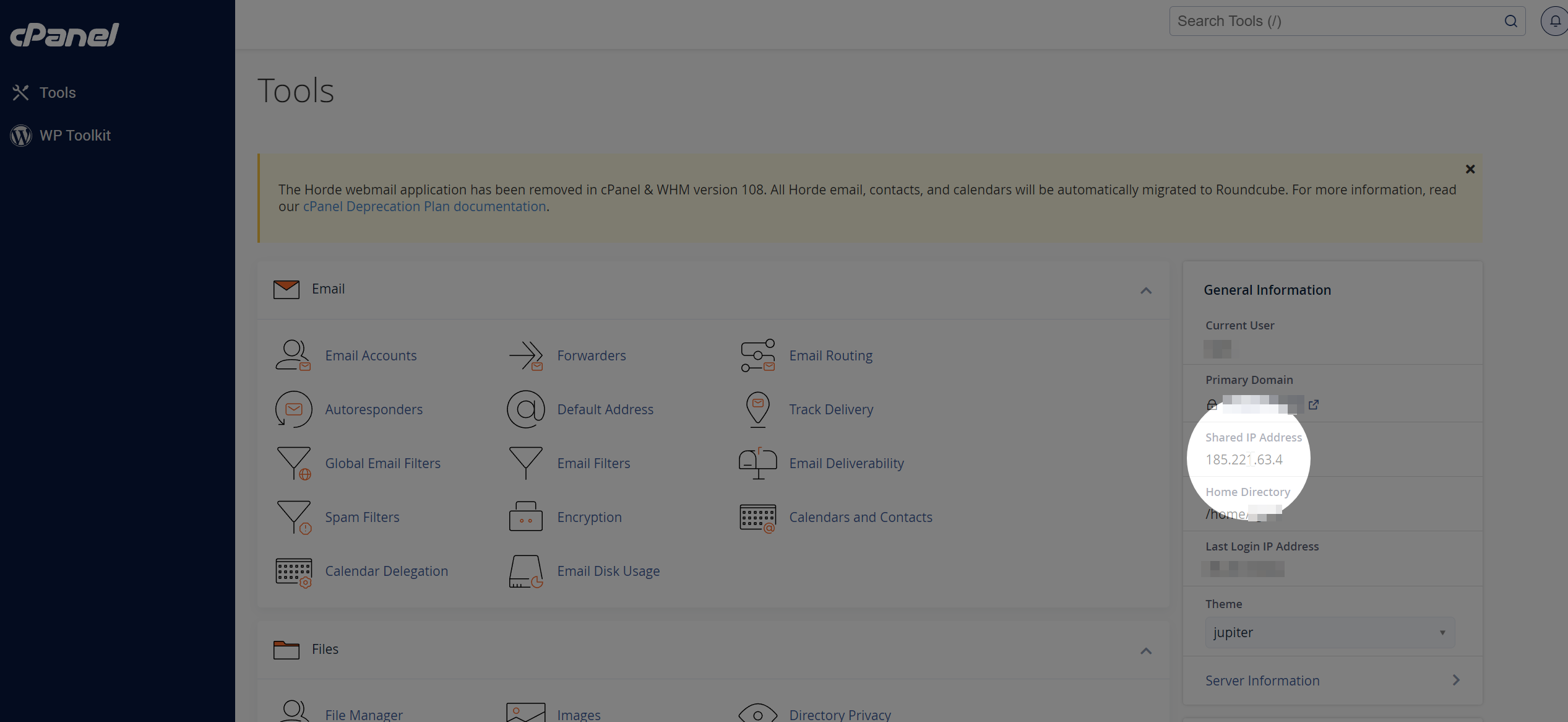
    The server IP address is located in the right hand information table under the “Shared IP Address” or “Dedicated IP Address” heading.

  • How to change or reset your cPanel password

    This guide will walk you through how to change or reset your cPanel password. Please note this is different to your Zume Client Area password. Learn how to reset your client area password.

    If you know your current password

    If you know your current cPanel password and are logged into cPanel, follow these steps.

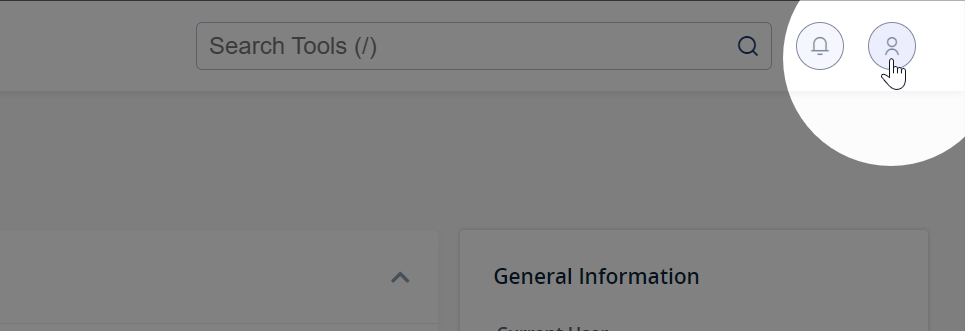
    Step 1: Click the user icon in the top right corner of cPanel

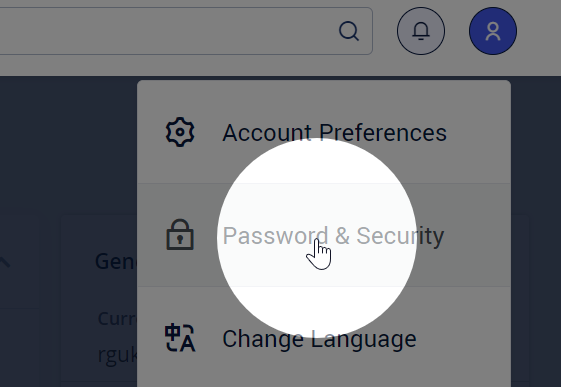
    Step 2: Click Password & Security

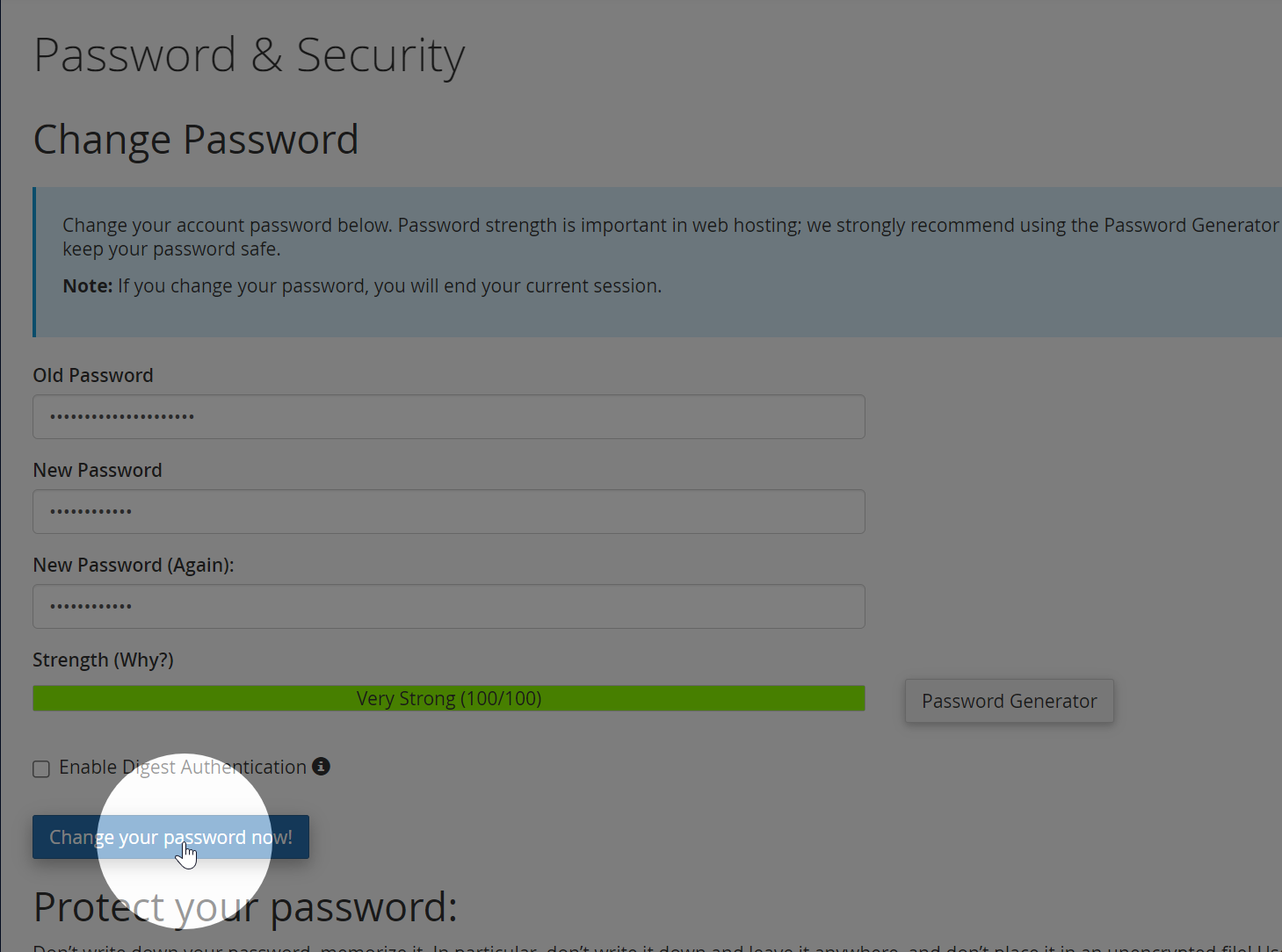
    Step 3: Enter your old and desired new passwords, then click Change your password now!

    If you know do not know your current password

    If you’ve forgotten your password, follow these steps.

    Step 1: Log into the Zume client area.

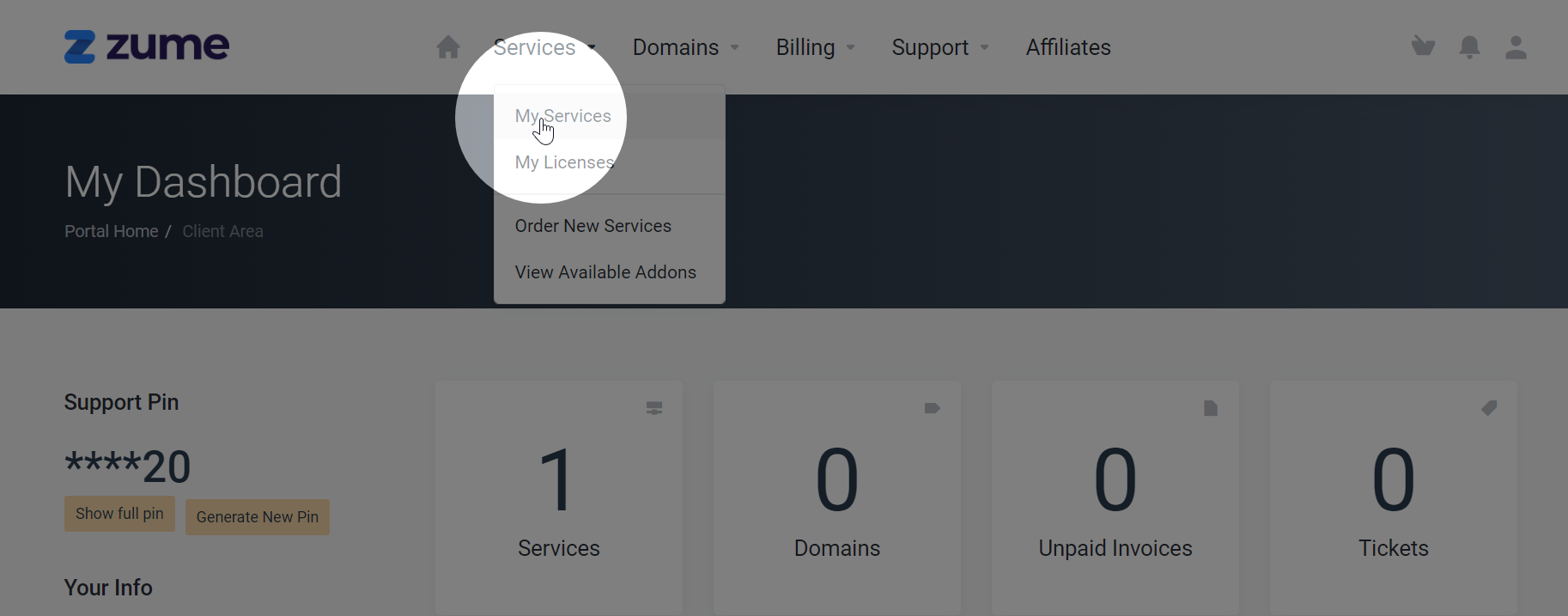
    Step 2: Select My Services from the Services dropdown

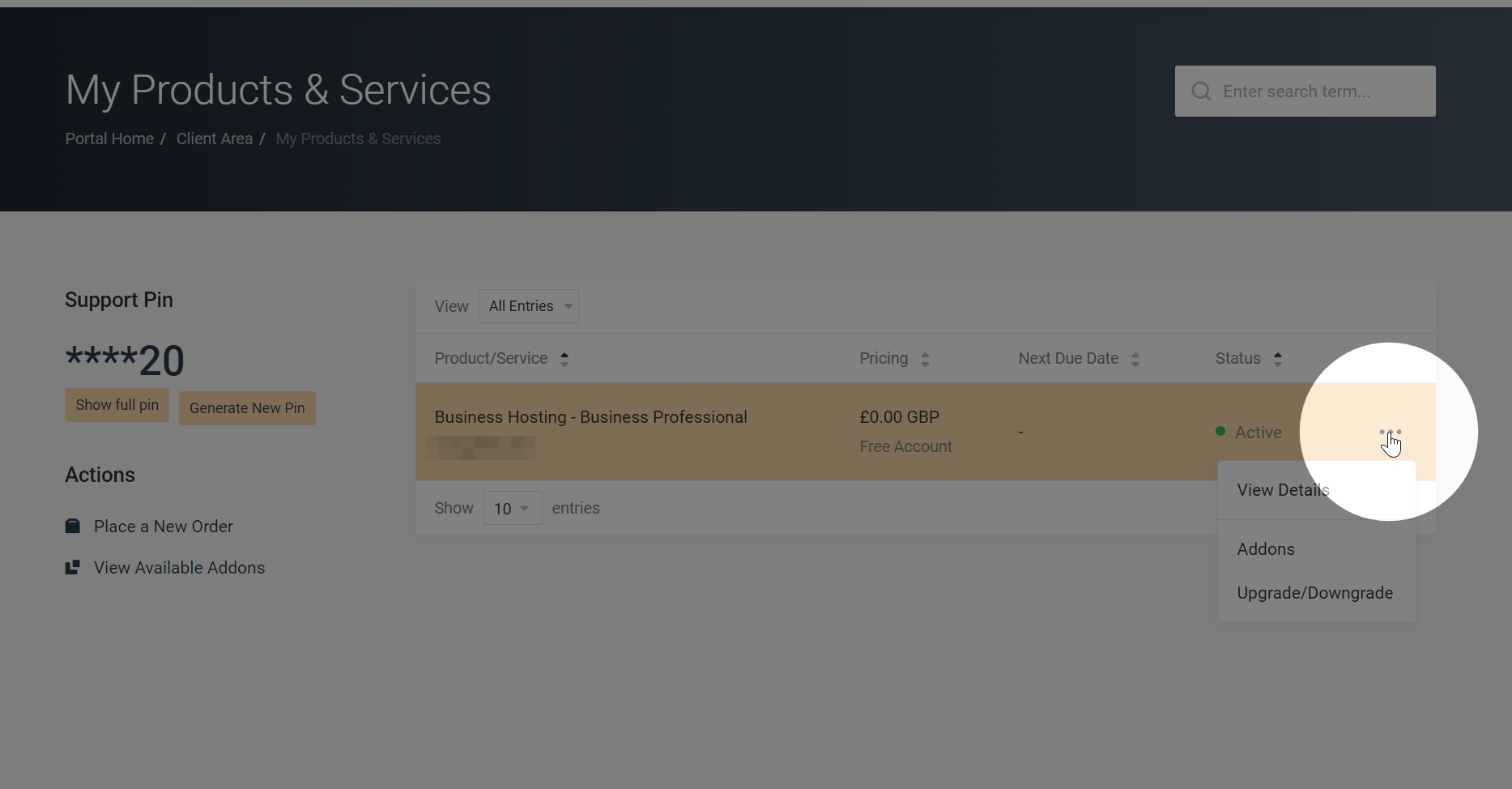
    Step 3: Select the 3 dots on the right of your service and click View Details

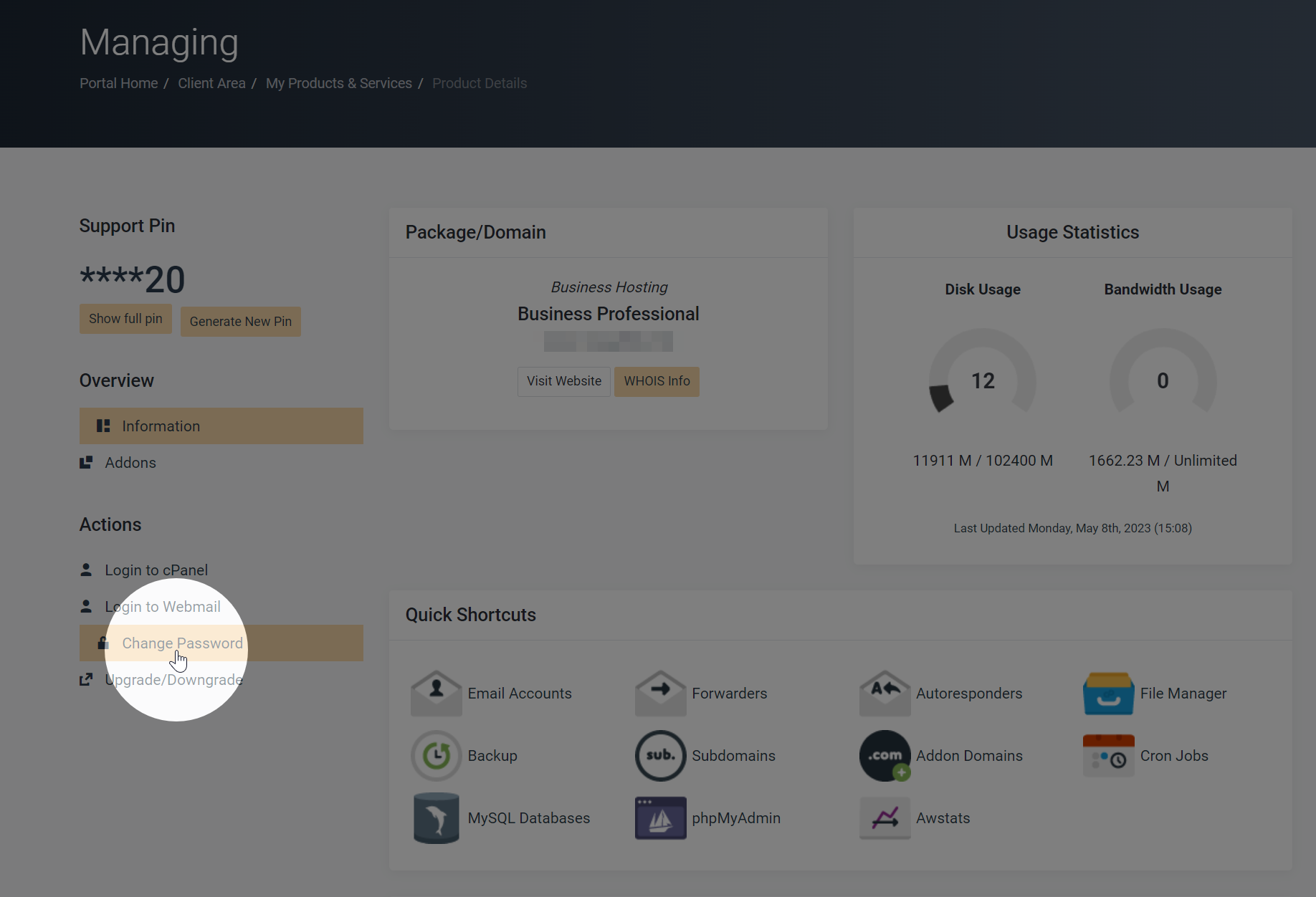
    Step 4: Click Change Password on the left-hand menu

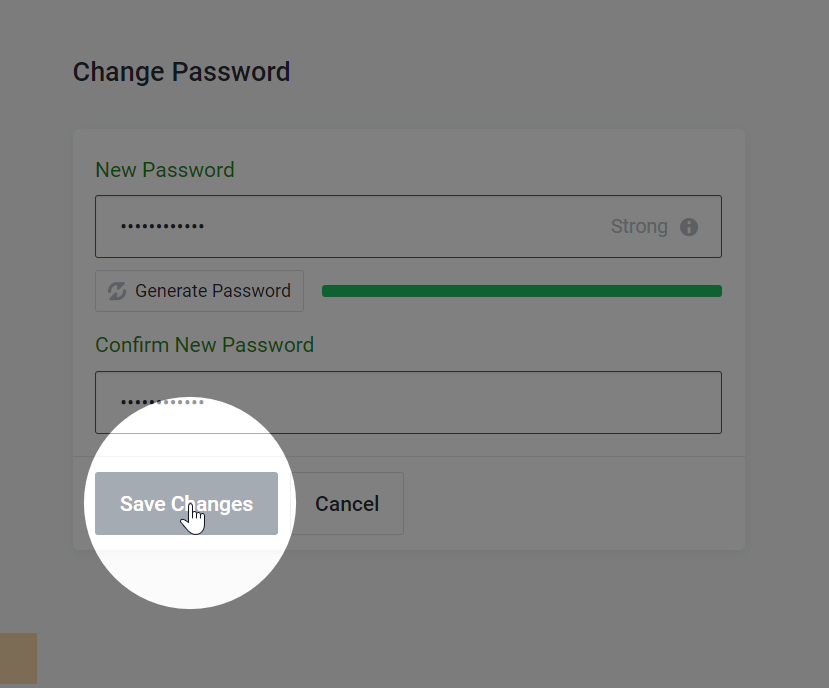
    Step 5: Enter the new password and click Save Changes

  • How do I enable Redis?

    Redis is included with all Business Hosting and Managed WordPress plans.

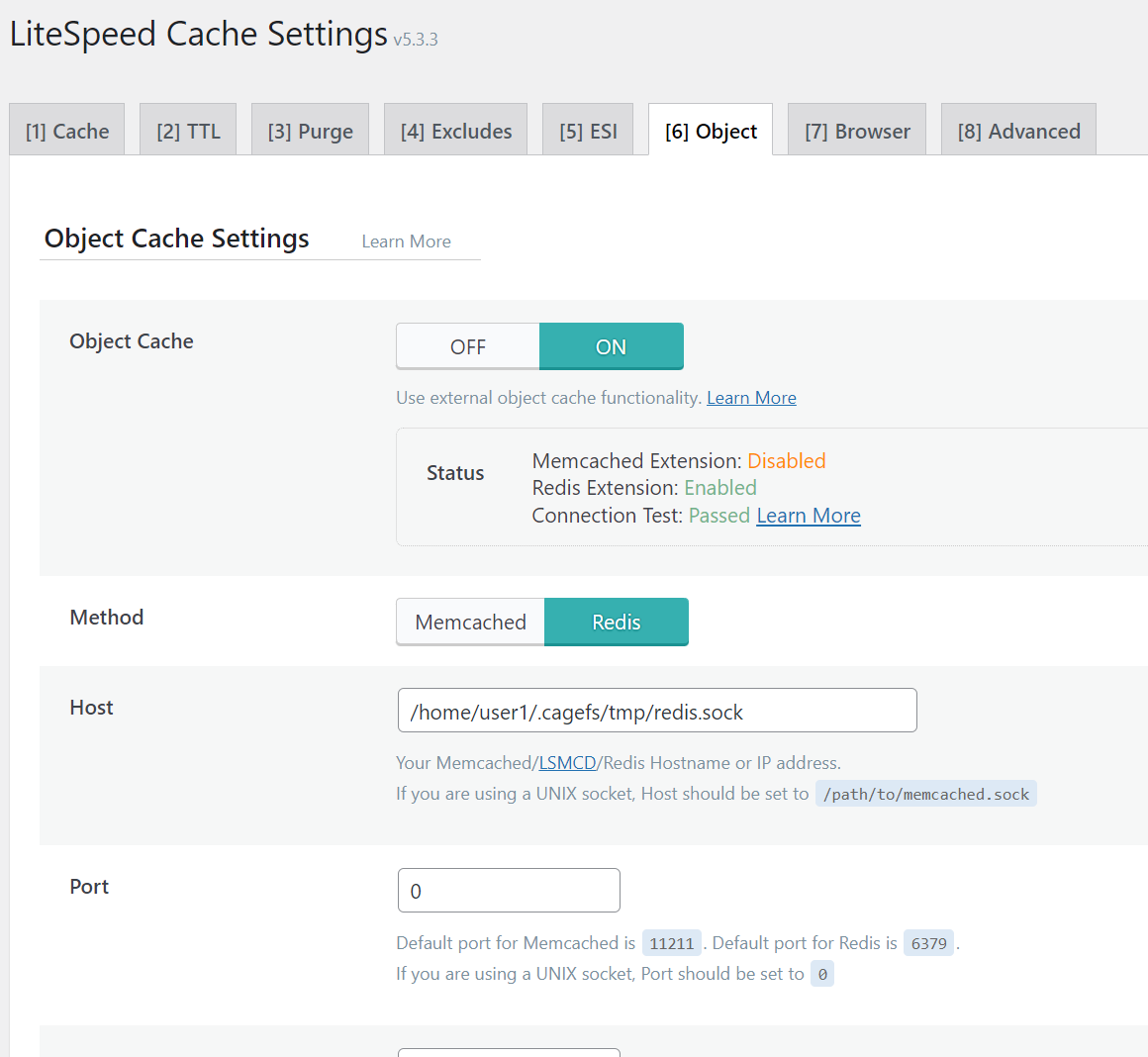
    The Redis socket for your account is located at /home/{username}/.cagefs/tmp/redis.sock

    If the socket doesn’t exist, please open a ticket to get it activated.

    LS Cache Configuration

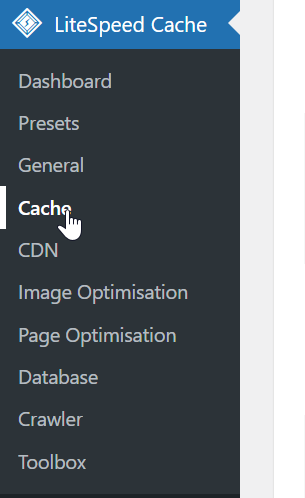
    In the LSCache WordPress plugin, go to the Cache menu.

    Under the Object tab, enter the following configuration.

    Remember to set the Port field to 0. This is because the Redis connection is via a socket.

    You should change the /home/user1 path to match your hosting account. You can find this in the General Information panel in cPanel, under Home Directory:

  • How do I log in using SSH?

    SSH access is available on all hosting plans.

    Windows Terminal and MacOS include an OpenSSH client by default. You can access your account via SSH using the following command:

    ssh username@yourdomain.uk

    Alternatively you can download an SSH client such as PuTTY for Windows.

  • Is PHP composer available?

    Yes, the composer command is available on all shared hosting services.

  • Is WP-CLI available?

    Yes, the wp command (WP-CLI) is available on all shared hosting services.