We’re sorry to hear that you wish to leave us! But all good things must come to an end, so here’s how to say goodbye.
If you’re having any issues with your plan, we can solve 99% of these (you would be surprised!) and would love the opportunity to help. Please get in touch and we’ll see what we can do.
Cancel your plan
Log in to the Zume client area.
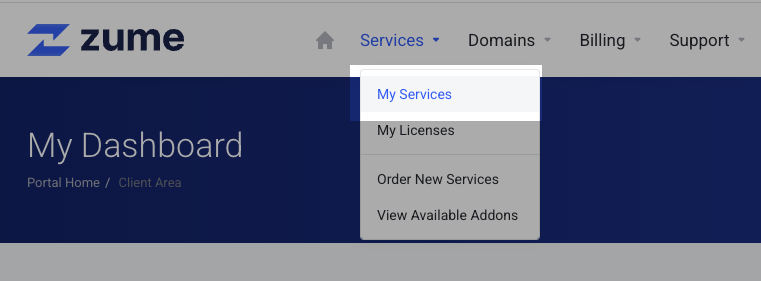
Select “My Services” from the Services dropdown.
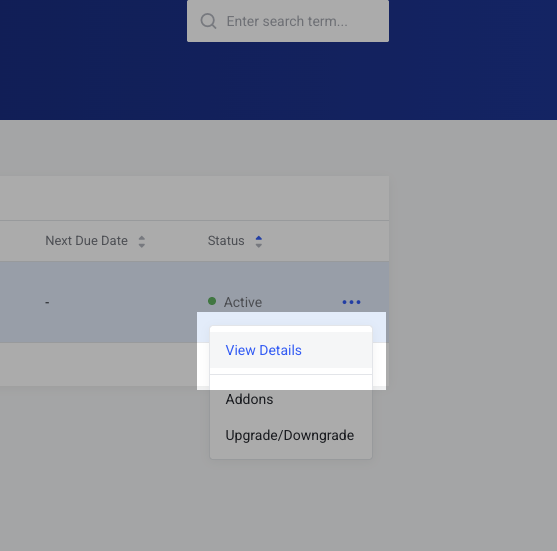
Find the service you wish to cancel, and click the three dots then “View Details”.
Select “Request Cancellation” from the left-hand menu.
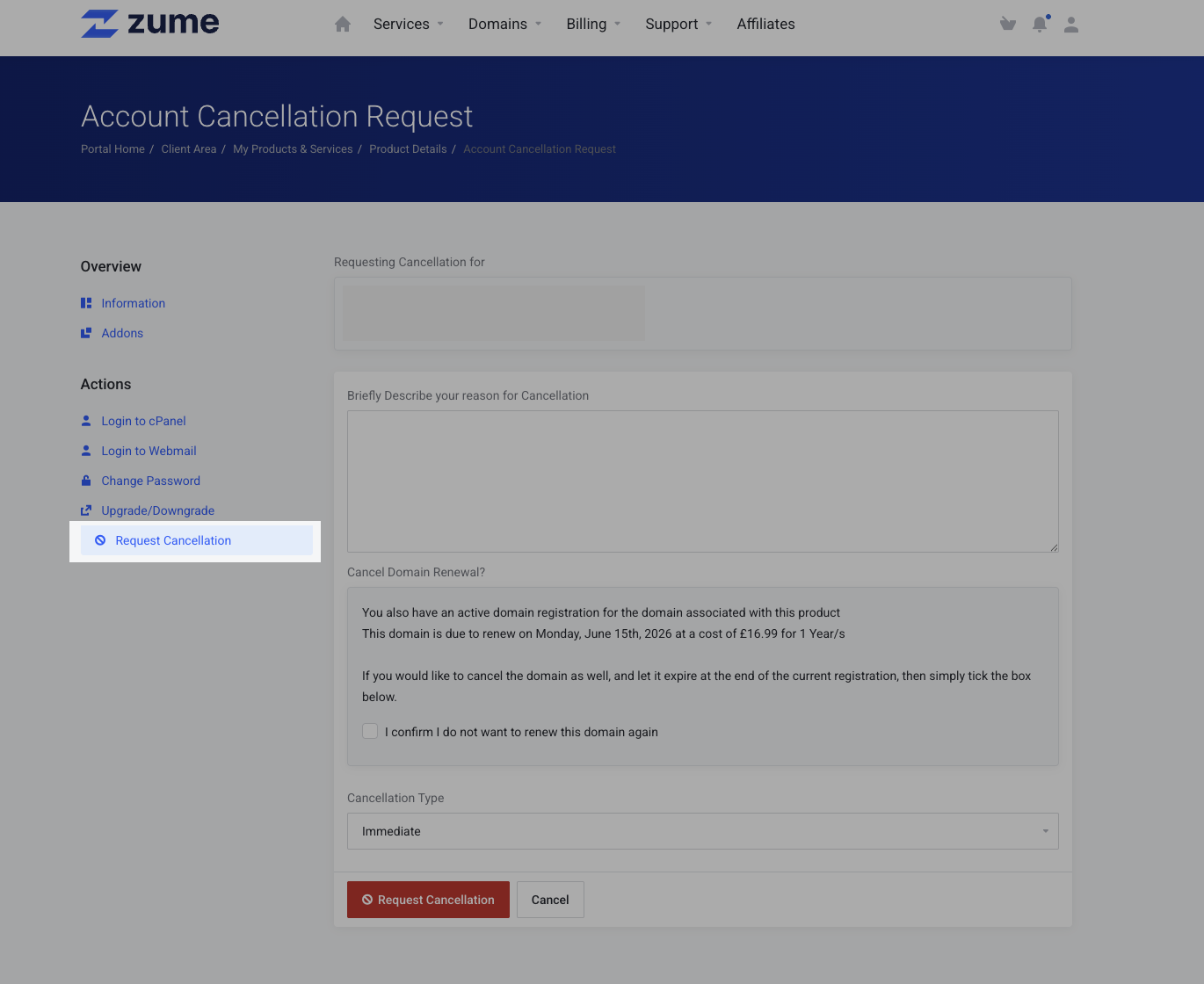
We would appreciate it if you enter a reason for your cancellation. If you don’t want to provide one, just enter “N/A”.
If you are within our 14-day money back guarantee, you must select “Immediate” as the cancellation type. Otherwise select “End of billing period” if you wish to continue using your service until the end of your pre-paid period.
Finally, click the “Request Cancellation” button.
Don’t forget!
If you have a domain registration with Zume, you must also remember to disable “Auto-renew”. Otherwise the domain may renew automatically once due!
Please get in touch if you would like any assistance confirming your cancellation.
Leave a Reply