Faulty plugins or themes can cause PHP warnings like this to appear on your WordPress site, and affect its appearance.

Keep in mind!
While this guide will show you how to hide the problem, to ensure your site is fully functional you should contact the plugin developer for assistance.
Method 1: cPanel MultiPHP INI Editor
Locate and click MultiPHP INI Editor
Select your domain from the dropdown
Find the display_errors setting
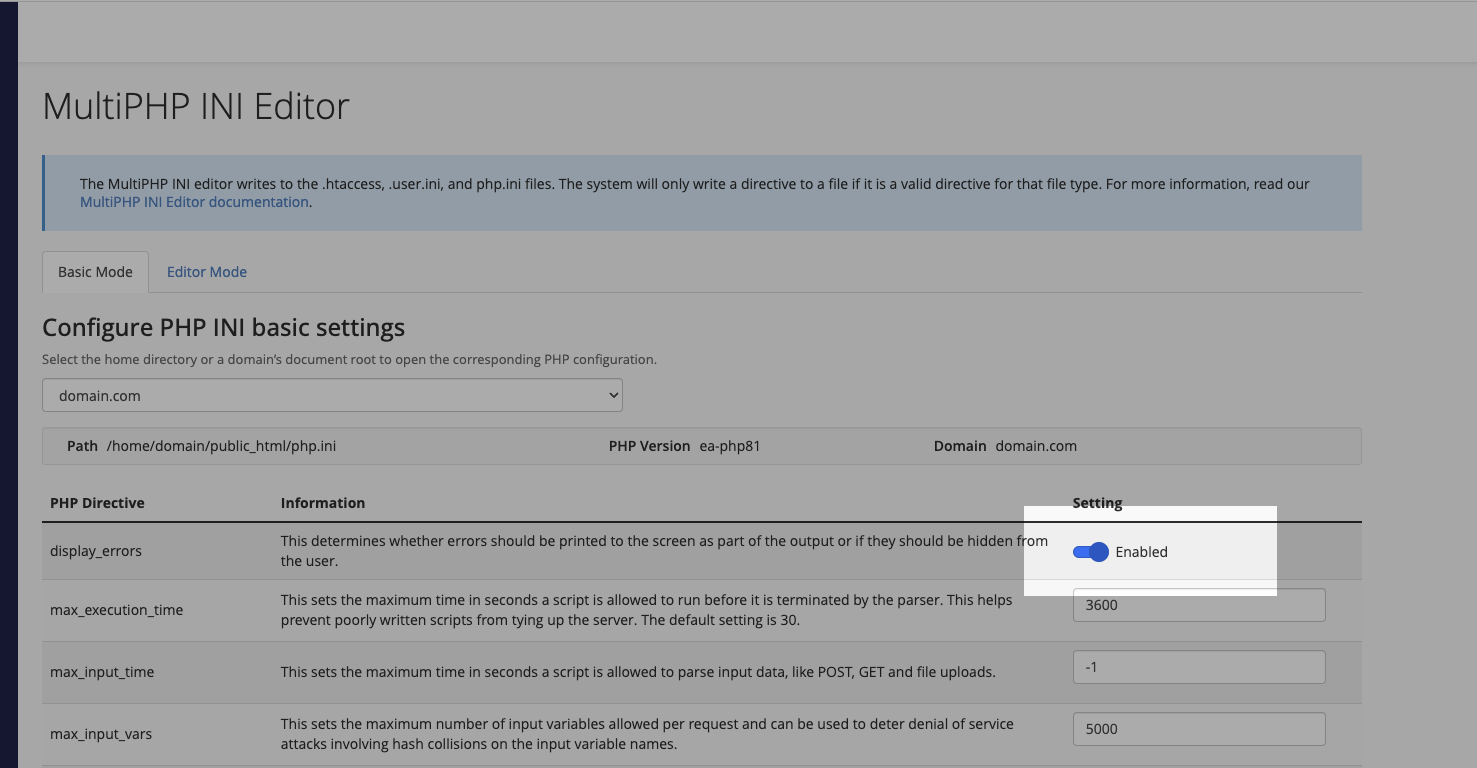
Change the toggle from On to Off

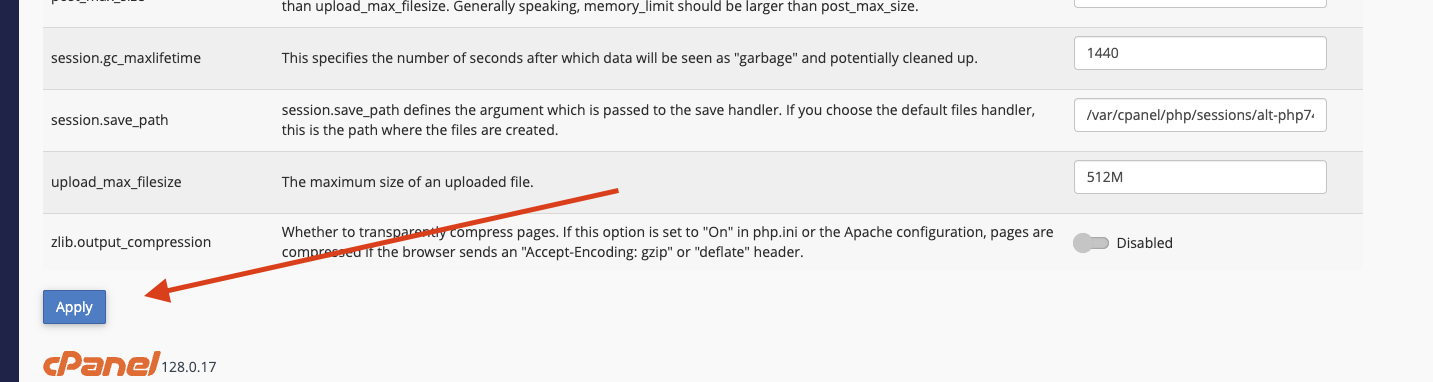
Click Apply
Method 2: php.ini File
If you have file access to your hosting account:
-
Navigate to your website’s root directory
-
Create or edit the php.ini file
-
Add the following line:
display_errors = Off -
Save the file
Method 3: wp-config.php File
As a final option, you can modify your WordPress configuration:
-
Open your wp-config.php file
-
Locate the line
/* That's all, stop editing! */ -
Add this line just above it:
ini_set('display_errors', 0); -
Save the file
Leave a Reply